
Appearance
Approval templates
A template defines a kind of request: the form somebody fills in, who has to sign it, and who is allowed to submit it. Everything in the approval inbox came from one.
Menu path Approve › Approval template
Address https://hub.cnvconnect.com/approvals/templates
Permission approval_templates:view
Who uses it HR and administrators
The screen
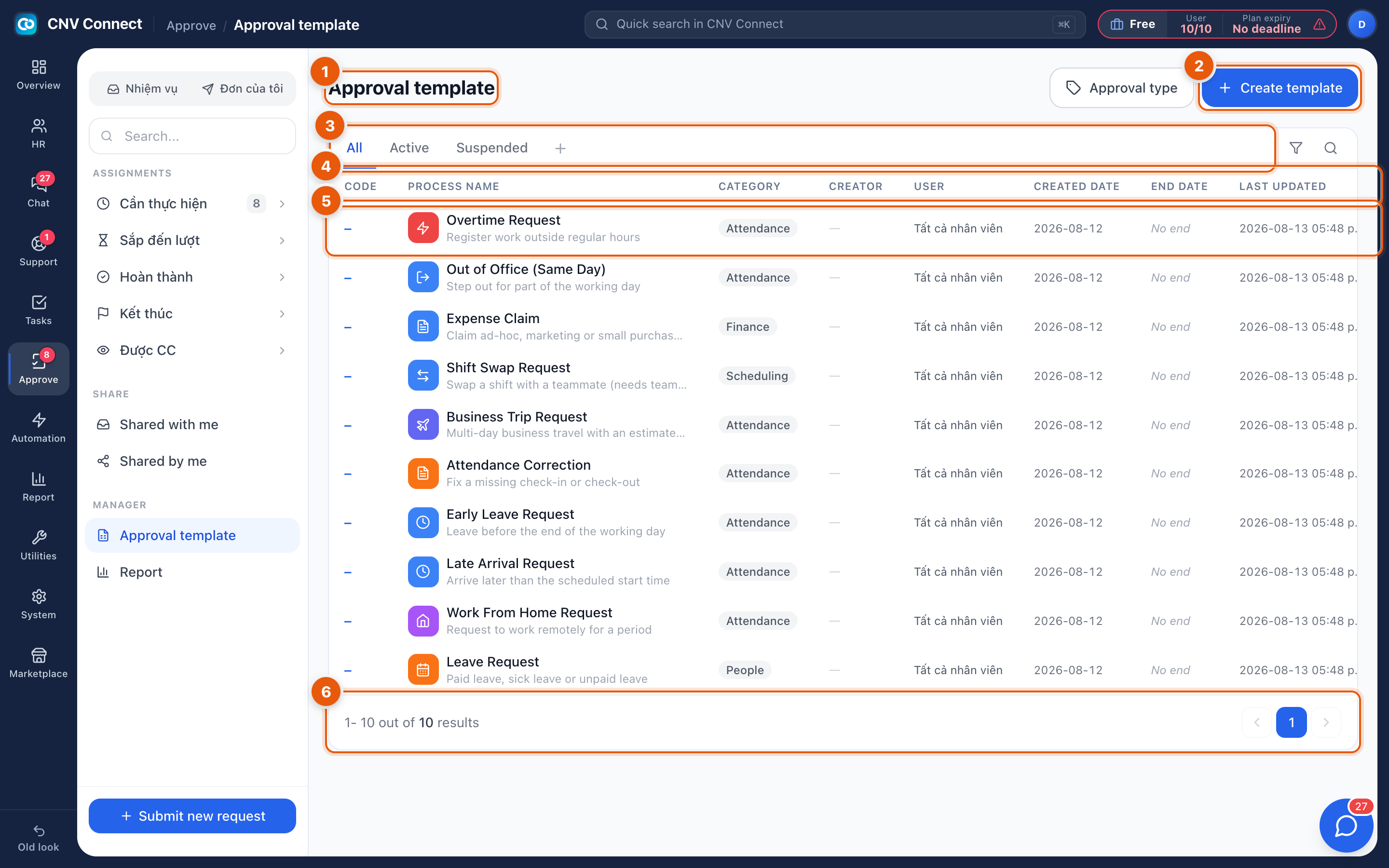
- Page title — the catalogue of request types.
- Create template — builds a new one; Approval type beside it filters by category.
- Status filters — All, Active, Suspended.
- Columns — code, process name with its description, category, creator, who may submit it (by default all employees), created and end dates, last update and status.
- A row — opens the template builder.
- Paging — how many templates matched, and the page control.
What ships with a new workspace
Most workspaces start with a usable set — leave request, overtime request, expense claim, business trip, out of office, attendance correction. Adapt those before writing your own; they are already wired to the right HR records.
How to…
Adjust an existing process
Open the template, change the form or the chain, and save. Requests already in flight keep the version they started with, so nobody's half-finished claim changes shape underneath them.
Retire a process
Set the template to Suspended. It disappears from Submit new request while its history stays readable.
Limit who can use a template
The User column is the audience. Restrict a sensitive template (a capital expenditure request, say) to a department or a named group rather than all employees.
Notes
- Deleting a template is not the way to stop a process — suspension keeps the audit trail.
- Categories are what group templates in the submit dialog; keep them meaningful or the picker becomes a wall.
- Approval statistics per template are on the report page.