
Appearance
Shifts
A shift describes a working pattern: when it starts, when it ends, and what counts as a break. Nothing in attendance means anything until shifts exist — "late" is only measurable against a start time.
Menu path HR › Shift
Address https://hub.cnvconnect.com/shifts
Permission shifts:view
Who uses it HR, operations managers
The screen
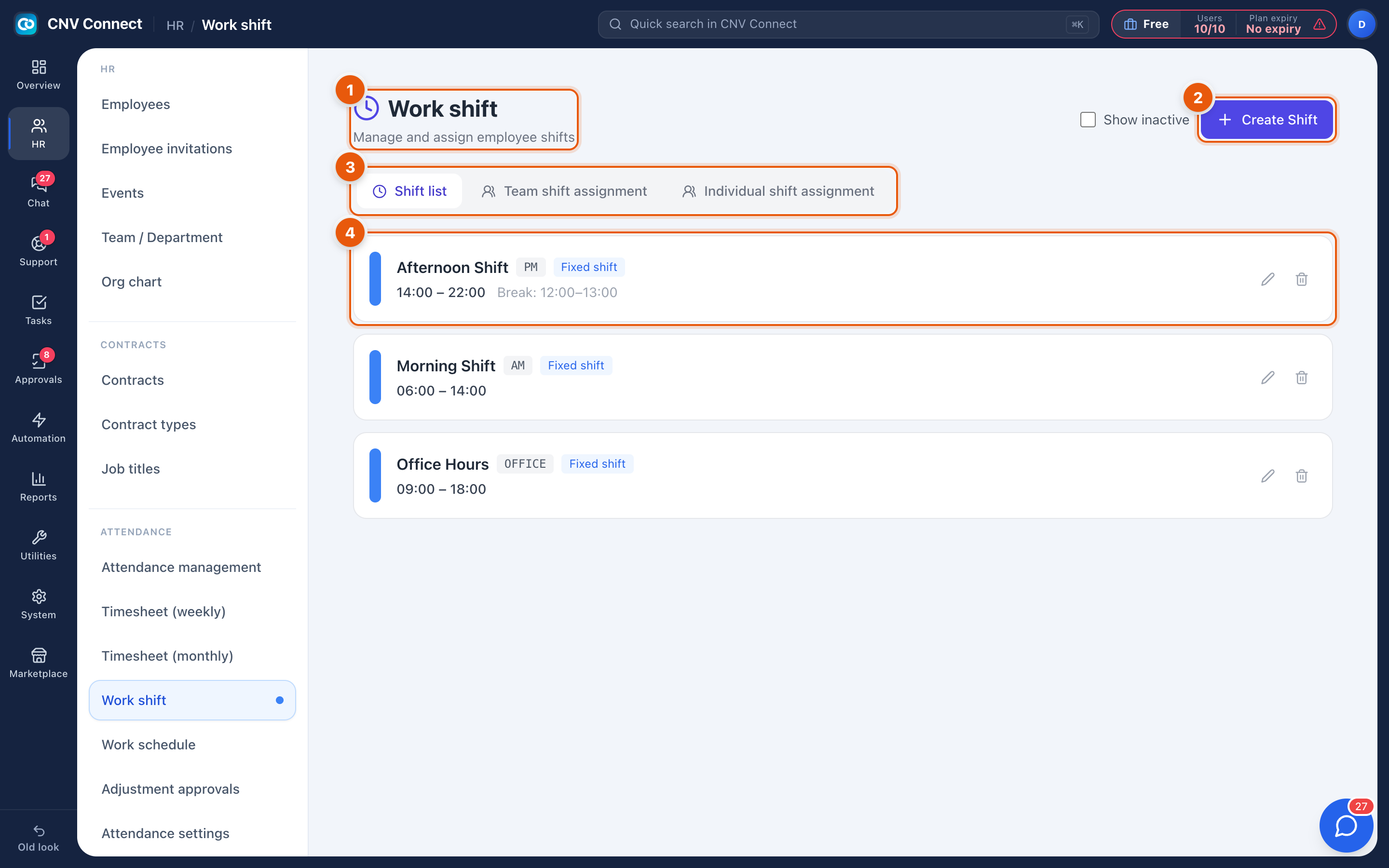
- Page title — work shift: manage and assign employee shifts.
- Create Shift — define a new pattern.
- Tabs — Shift list (shown), Team shift assignment and Individual shift assignment.
- Shift card — the name, its short code, the type (fixed or flexible), the hours and the break window, for example Afternoon Shift · PM · Fixed shift · 14:00 – 22:00.
How to…
Create a shift
- Select Create Shift.
- Give it a name and a short code (
AM,PM,OFFICE). - Set the start and end times, and the break window if unpaid breaks apply.
- Choose the type: fixed (everybody starts at the same time) or flexible (a window inside which the person may start).
- Save.
Give a whole team the same shift
Open Team shift assignment, choose the department and the shift, and apply. Everyone in that department inherits it, including people added to the department later.
Give one person a different shift
Open Individual shift assignment. An individual assignment beats the team assignment for that person, which is how you handle one person on nights while their team works days.
Notes
- Overnight shifts (for example 22:00 – 06:00) are supported; the end time simply falls on the next calendar day.
- Changing a shift's hours affects future evaluations. To re-evaluate days already recorded, use Recalculate timesheets on Attendance settings.
- A shift is a pattern. Which person works which shift on which day is the work schedule.
- Late penalties are attached to shifts — see Late penalties.