
Appearance
Report hub
Every report the workspace can produce, in one catalogue, grouped by module.
Menu path Report
Address https://hub.cnvconnect.com/reports
Permission varies per report — you only see the ones your role allows
Who uses it managers, HR, finance
The screen
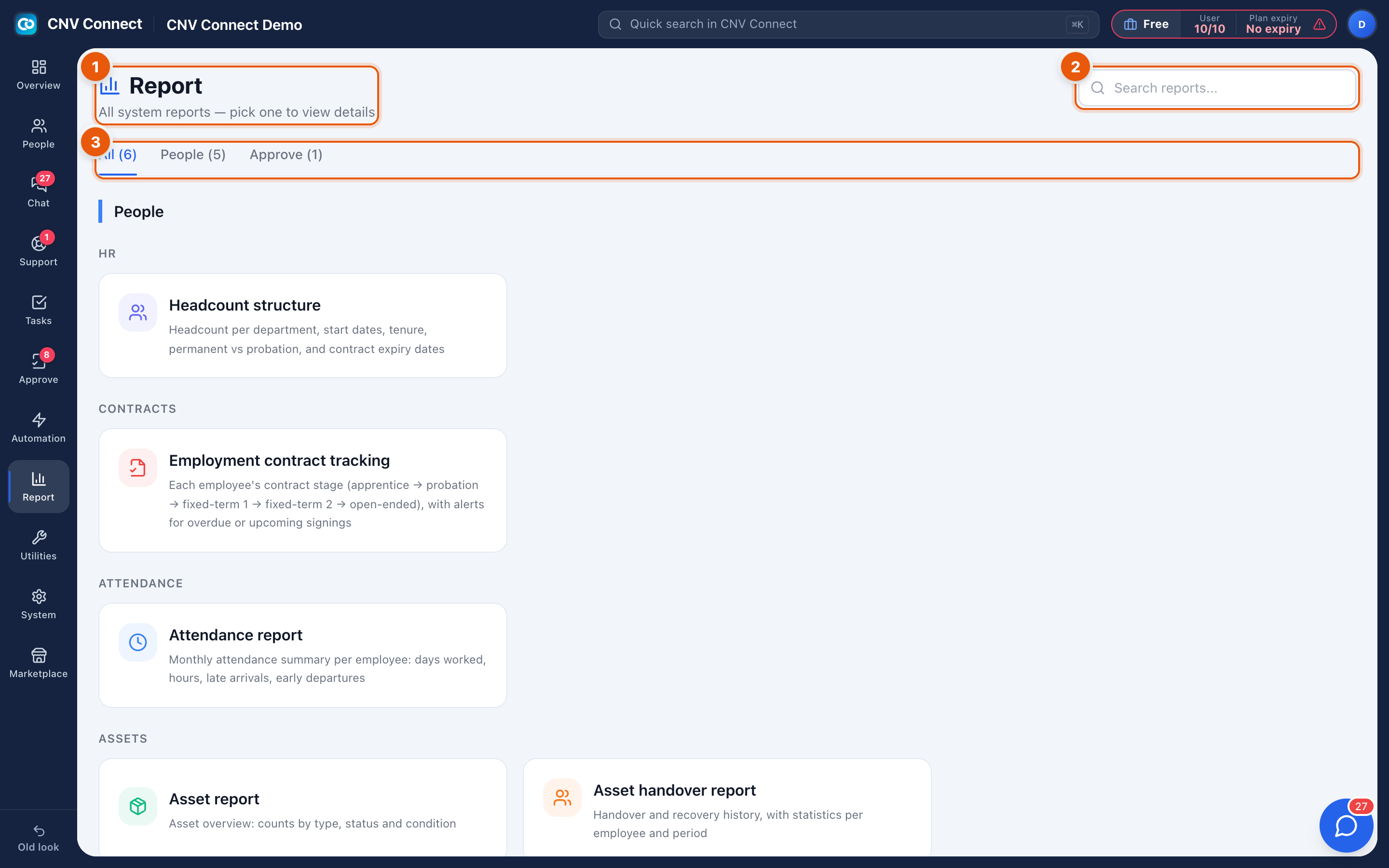
- Page title — all system reports; pick one to view details.
- Search reports — by name or description.
- Module tabs — All (6), People (5), Approve (1), with the number of reports in each.
What is in the catalogue
| Report | What it answers |
|---|---|
| Headcount structure | Headcount per department, start dates, tenure, permanent versus probation |
| Employment contract tracking | Each employee's contract stage and what is expiring |
| Attendance report | Monthly summary per employee: days worked, hours, lateness |
| Asset report | Assets by type, status and condition |
| Asset handover report | Handover and reclaim history per employee and period |
| Approval statistics | Opens the approval report |
How to…
Find the right report
Search by the word you would use for the question — "contract", "late", "asset". The card description tells you whether it answers your question before you open it.
Get the numbers out
Reports that support it have an Export Excel button on the report itself. The export contains the rows you are looking at, with the filters applied.
Notes
- The catalogue is filtered by permission, so two people can legitimately see different numbers of cards.
- Reports read live data — there is no overnight batch, and a record fixed now changes the report now.
- Module-specific dashboards live inside their modules: the support dashboard and the approval statistics are richer than a catalogue card.