
Appearance
Plan and billing
Which plan the workspace is on, how many seats and how much storage it includes, when it expires, and the history of every activation.
Menu path System › Plans & billing
Address https://hub.cnvconnect.com/settings/billing
Permission settings:view
Who uses it owners, administrators, finance
This screen is not translated yet
Plan and billing still appears in Vietnamese in the product. This article names every panel and column by what it holds, in the order shown in the screenshot.
The screen
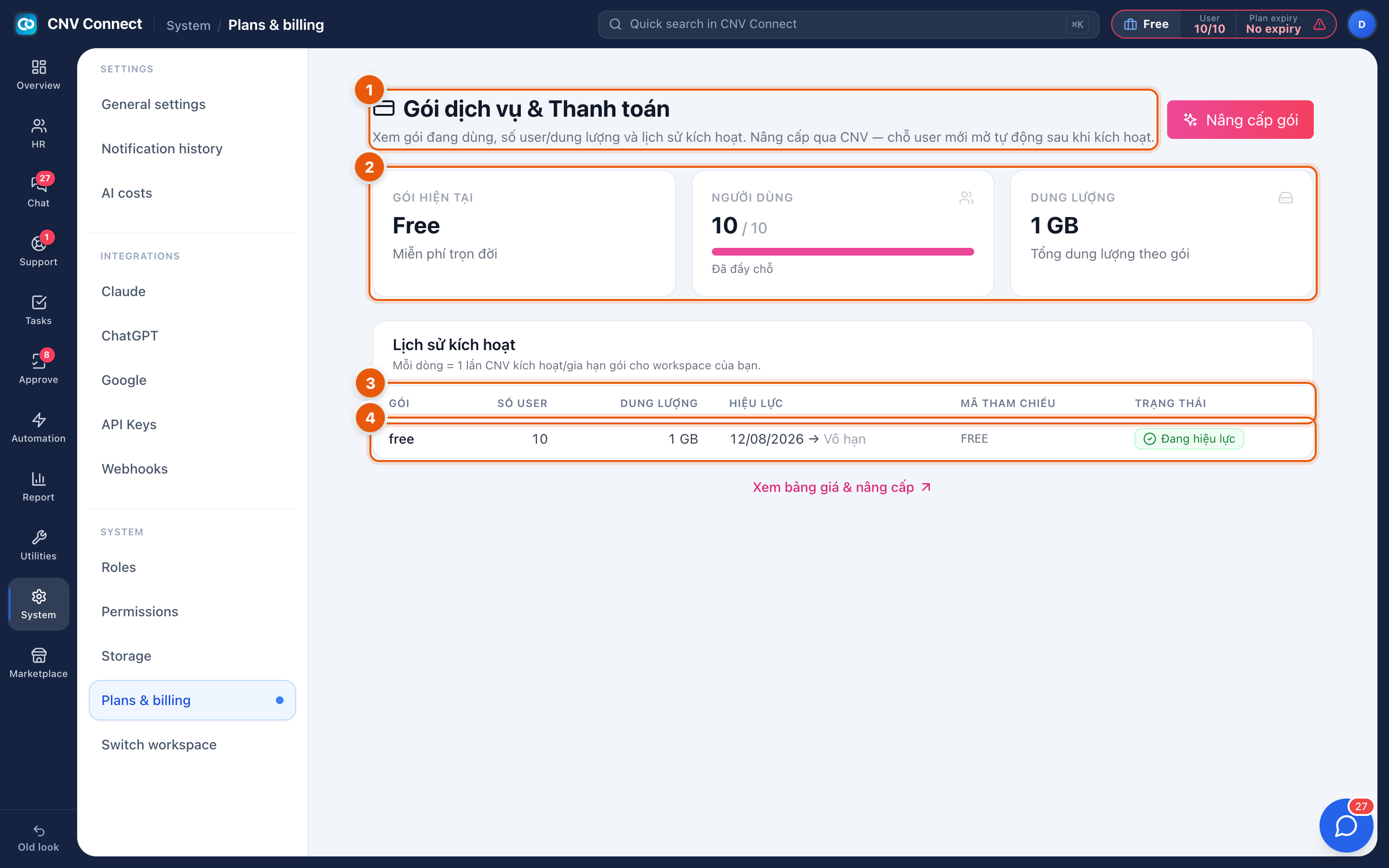
- Page title — the plan in use, with seats, storage and the activation history.
- Current plan tiles — the current plan and its headline (here: Free, free forever), users against seats (this workspace is full), and the storage allowance. The two buttons beside them open the tier list and the price list.
- History columns — plan, users, storage, validity (from → to, or unlimited), reference code and status.
- A row — one activation or renewal: for example the free plan, 10 users, 1 GB, valid from 12/08/2026 with no end date, reference FREE, currently active.
How to…
Make room for another employee
Either free a seat — disable somebody who has left, in Employees — or upgrade the plan. The seat count is what blocks invitations, and it blocks them immediately.
Upgrade
Select the upgrade button, compare the tiers, and request the upgrade. Activation is carried out by CNV, and each activation appears as a new row in the history with its reference code.
Check when the plan ends
Read the validity column in the history — an unlimited entry means no end date. The plan chip in the top bar shows the same information from every page.
Notes
- Plans are activated by CNV rather than charged automatically in the app, which is why the history is the authoritative record of what you have.
- Seats count active accounts, not employee records: a person with a record but no account does not use a seat.
- The Marketplace shows the same tiers from the point of view of which modules each one unlocks.