
Appearance
App modules
The catalogue of what your plan includes and what the next tier would add.
Menu path Marketplace
Address https://hub.cnvconnect.com/marketplace
Permission marketplace:view
Who uses it owners, administrators
The screen
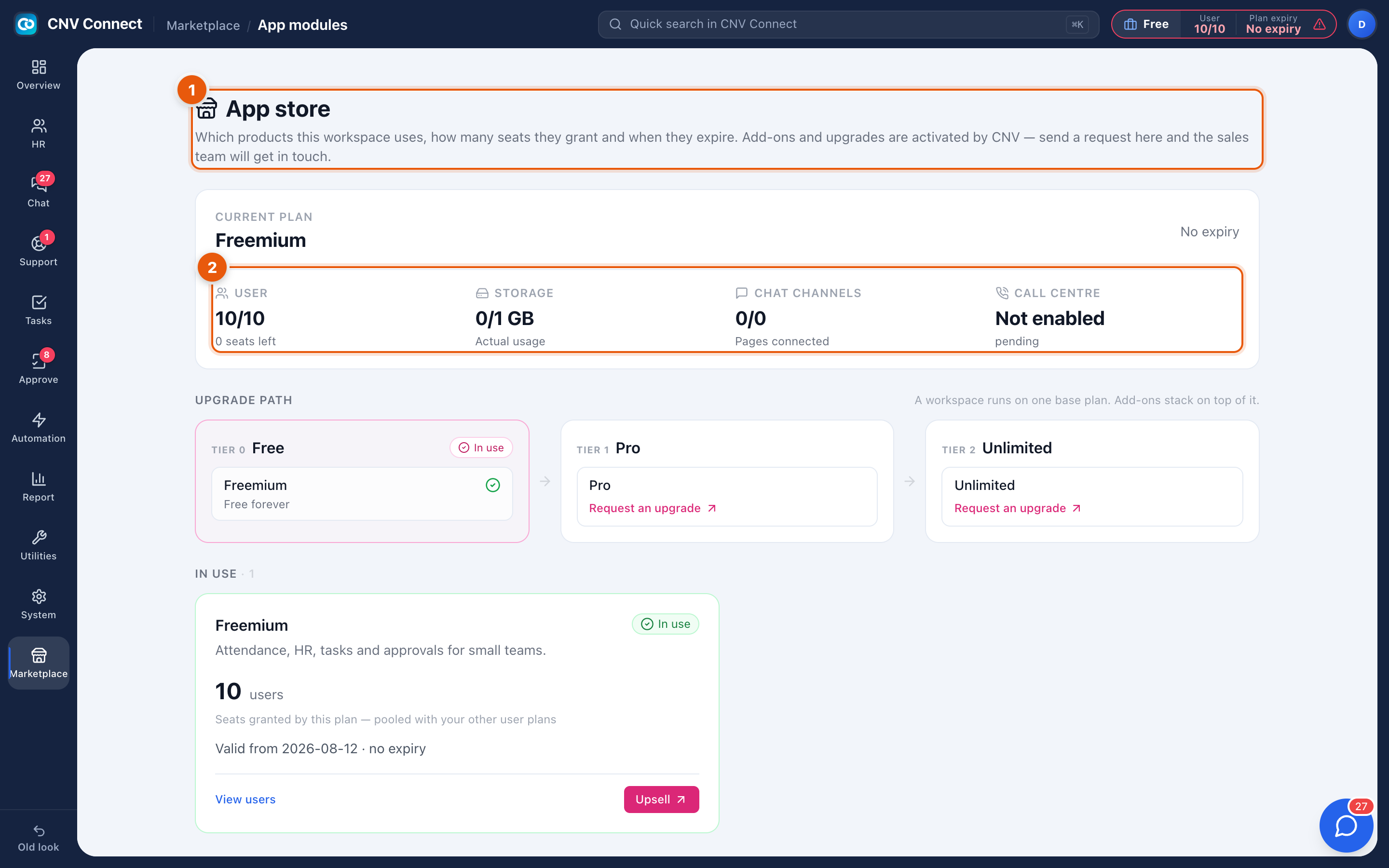
- Page title — which products this workspace uses and how many seats they grant.
- Current plan panel — the tier you are on, its expiry, seats used (10/10, 0 seats left), storage used and chat channels.
How to…
See what you are missing
Read the tier cards. Each lists the modules it unlocks; anything not marked In use is not available in your workspace today.
Request an upgrade
Select Request an upgrade on the tier you want. The request goes to CNV, who activate it — the activation then shows up in Plan and billing.
Free a seat instead of upgrading
If the constraint is seats rather than features, disabling a former employee in Employees is instant and free.
Notes
- Modules that are not part of your tier are hidden from the menu entirely, which is one of the two reasons a page in this guide may be missing for you — the other is permissions.
- Switching a module on affects the whole workspace, not one person.
- Seats and storage are plan-wide limits; they are the same numbers shown in General settings.