
Appearance
Digital assets
The company's vault of online accounts and subscriptions: who owns each account, what it costs, who may use it, and what happens to it when somebody leaves.
Menu path HR › Digital assets › List
Address https://hub.cnvconnect.com/digital-assets
Permission digital_assets_list:view
Who uses it IT, office managers, finance
The screen
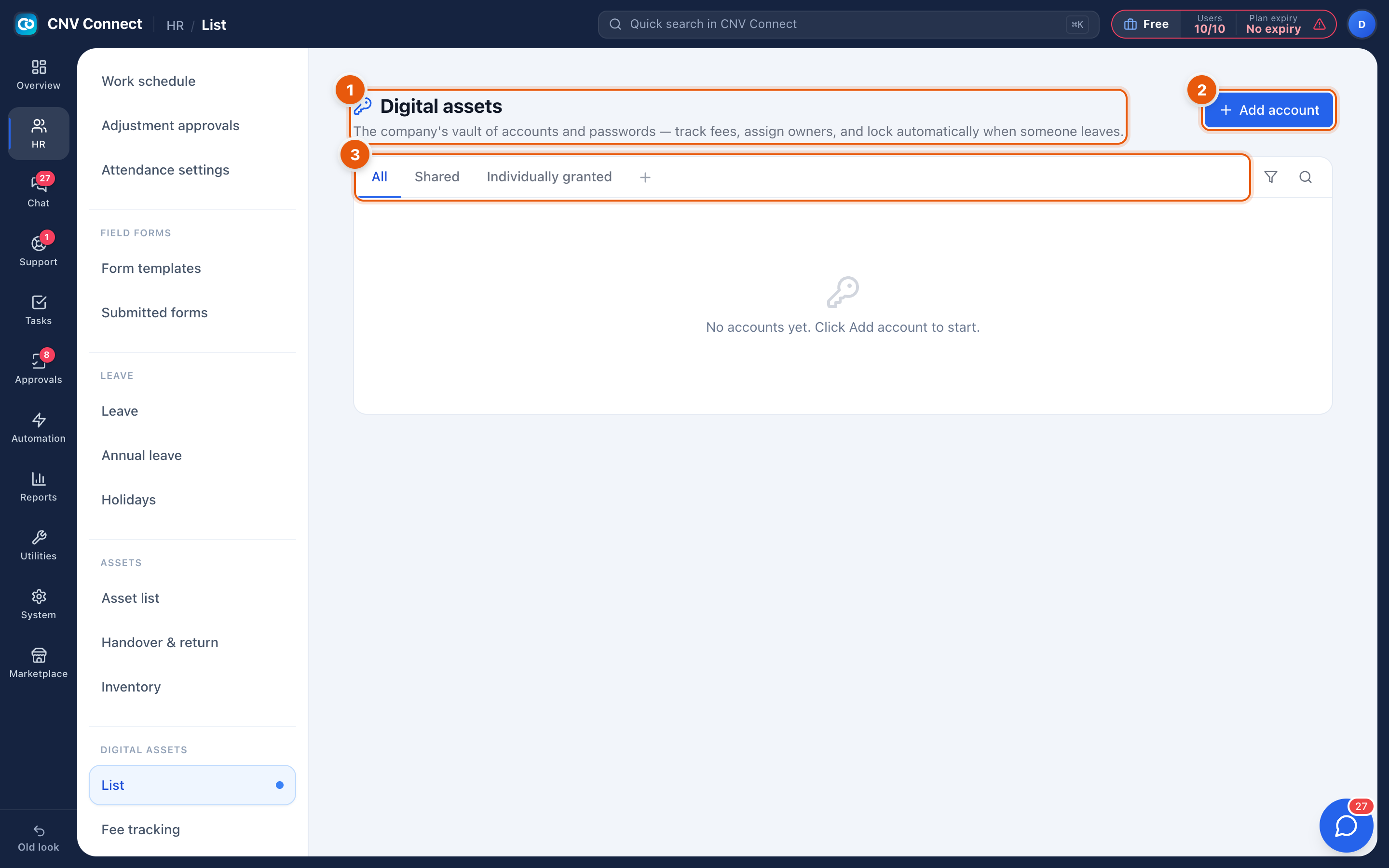
- Title and description — the vault of accounts and passwords: track fees, assign owners, and lock automatically when someone leaves.
- Add account — register an account.
- Tabs — All, Shared (accounts several people use) and Individually granted (one named holder). The + adds your own view; the funnel and magnifier filter and search.
How to…
Register an account
- Select Add account.
- Record the service, the login identifier, the owner and whether it is shared or granted to one person.
- Add the cost and billing cycle if you pay for it — that feeds Fee tracking.
- Save.
Decide shared versus individual
| Kind | Use it for |
|---|---|
| Shared | Team mailboxes, social accounts, vendor portals used by several people |
| Individually granted | Named seats — one licence, one person |
When somebody leaves
Open Alerts and scan for former employees. Accounts they held are exactly the ones that must be reassigned or locked before their last day.
Notes
- Treat the vault as an inventory of which accounts exist and who is responsible, and keep credentials in a dedicated password manager. Do not paste passwords into notes here.
- The cost recorded on each account is what makes the total in fee tracking meaningful — an account with no cost is invisible in the budget view.
- Digital assets are separate from physical assets, and appear in their own alerts rather than in the stock count.