
Appearance
Flow builder
Where a flow is assembled: what starts it, what it does, what it did last time, and who it belongs to. Four steps across the top, exactly like the approval template builder.
Menu path Automation → select a flow
Address https://hub.cnvconnect.com/automation/<id>
Permission none beyond seeing the module
Who uses it administrators, process owners
The screen
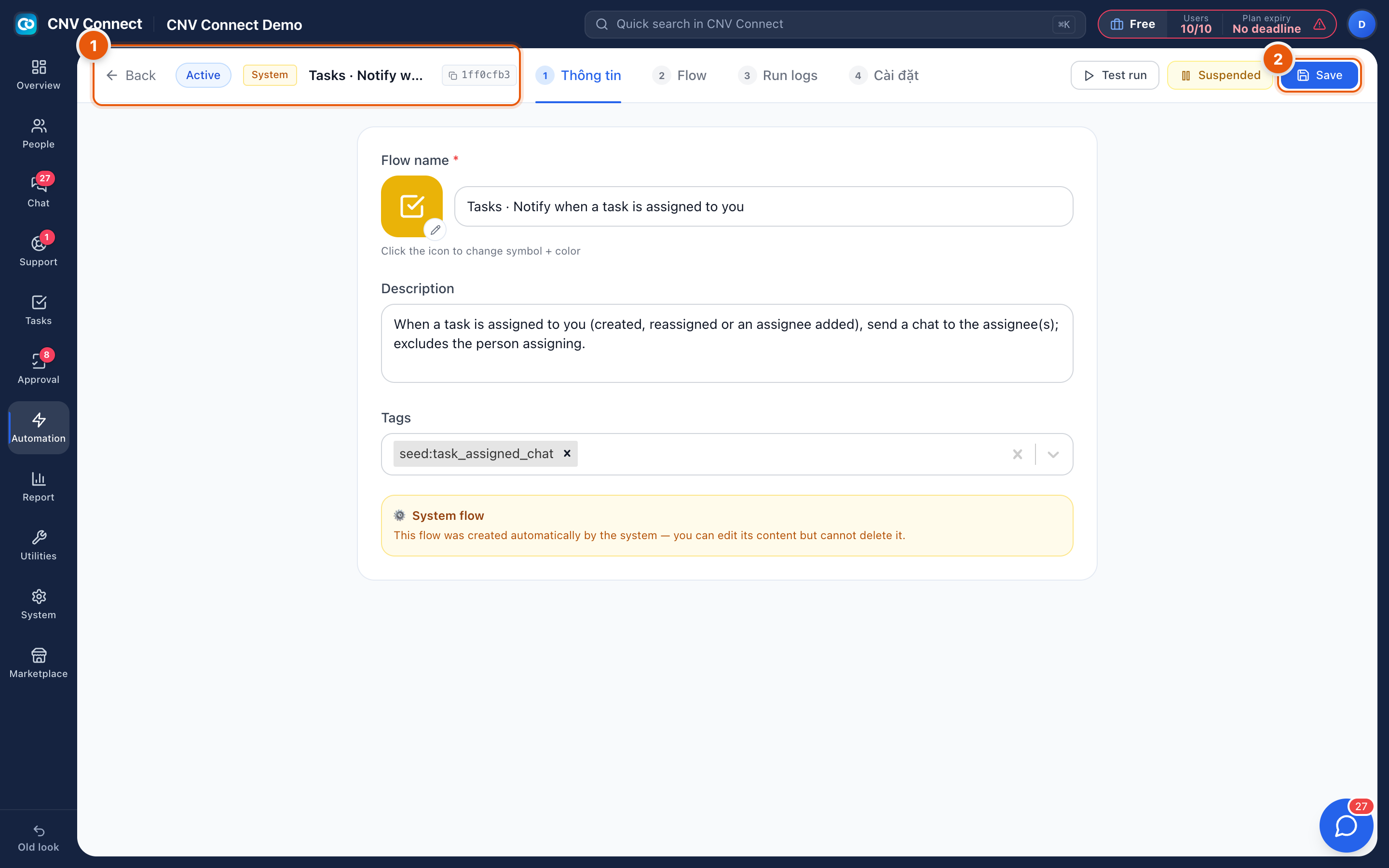
- Header and steps — Back to the list, the flow identifier and name, and the four numbered steps: information, flow, run logs and settings. Test run fires the flow once with sample data; Suspended takes it out of service.
- Save — publishes the change. The flow keeps running its previous version until you do.
Step 1 — Information
Name and description. Write the name so a colleague can tell what it does without opening it: Tasks · Notify when a task is assigned to you is a good example.
Step 2 — Flow
The logic itself: the trigger, any conditions, and the actions in order. Conditions keep a flow narrow ("only for the Operations department"), and are what stop an automation becoming noise.
Step 3 — Run logs
Every execution with its outcome. When a flow "does not work", this is the page that says whether it never fired, or fired and failed.
Step 4 — Settings
Ownership and error handling — including who to tell when the flow itself fails.
How to…
Build a flow safely
- Create it, set the trigger and one action.
- Use Test run and check the result.
- Turn it on for a narrow scope (one department), watch the run log for a day, then widen it.
Diagnose a flow that is not firing
- Open Run logs. No entries means the trigger never matched — check the conditions.
- Entries with errors mean the action failed — the message says why (a missing recipient, a deleted record).
- Confirm the flow is running rather than paused.
Notes
- Save publishes changes; a flow keeps running its previous version until you do.
- Suspending is better than deleting while you are unsure — the run history goes with the flow.
- Automations act as the system, not as you: a message sent by a flow is attributed to the bot, which is why Bots matters for anything that posts into chat.