
Appearance
Correction approvals
People forget to clock in, lose signal on site, or get stuck in traffic. Rather than let managers edit attendance silently, CNV Connect makes the employee submit a correction and a manager approve it — so every change to an attendance record has a reason and a name attached.
Menu path HR › Approve adjustment
Address https://hub.cnvconnect.com/corrections
Permission corrections:view
Who uses it managers, HR
The screen
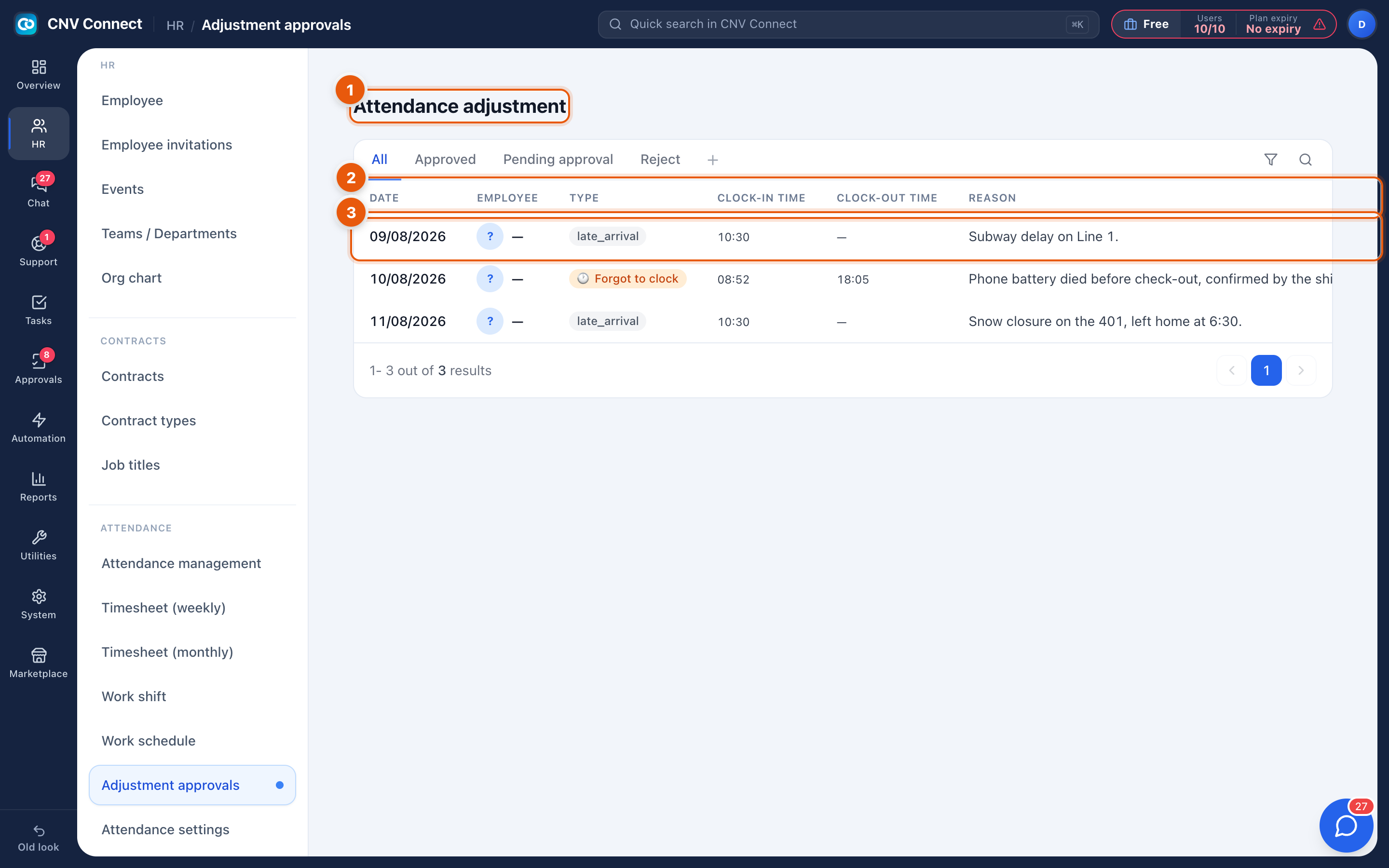
- Page title — attendance adjustment, with the status tabs underneath: All, Approved, Pending approval, Rejected.
- Columns — date, employee, type of correction, the proposed clock-in and clock-out times, the employee's reason, any photo, the status, the source approval request and the date it was decided.
- A row — select it to see the full request and decide.
Correction types
| Type | Meaning |
|---|---|
late_arrival | Arrived late, with a reason worth recording |
missing_check_in | Worked, but no clock-in was captured |
missing_check_out | Forgot to clock out |
early_leave | Left before the shift ended |
wrong_location | Clocked in outside the registered location |
How to…
Approve or reject
- Open Pending approval.
- Read the reason and check any photo evidence.
- Approve — the attendance record is rewritten with the corrected times and the day's status is recalculated.
- Reject — the record stays as it was; the employee is notified.
Trace a decision later
Every decision keeps the requester, the approver, the timestamp and the reference of the approval request in the Source column, so a payroll dispute can always be reconstructed.
Notes
- Corrections are submitted from the mobile app; there is no way to raise one here on somebody else's behalf.
- An approved correction changes the attendance record and therefore the timesheets. Approve before payroll closes, not after.
- Correction requests also travel through Approvals when your workspace routes them that way, which is why some rows show an
APR-…reference.