
Appearance
AI cost
Every call the workspace made to an AI provider, with what it cost. Use it to see whether an assistant is being used, by whom, and how much it is adding up to.
Menu path System › AI costs
Address https://hub.cnvconnect.com/settings/ai-usage
Permission ai_usage:view
Who uses it administrators, finance
The screen
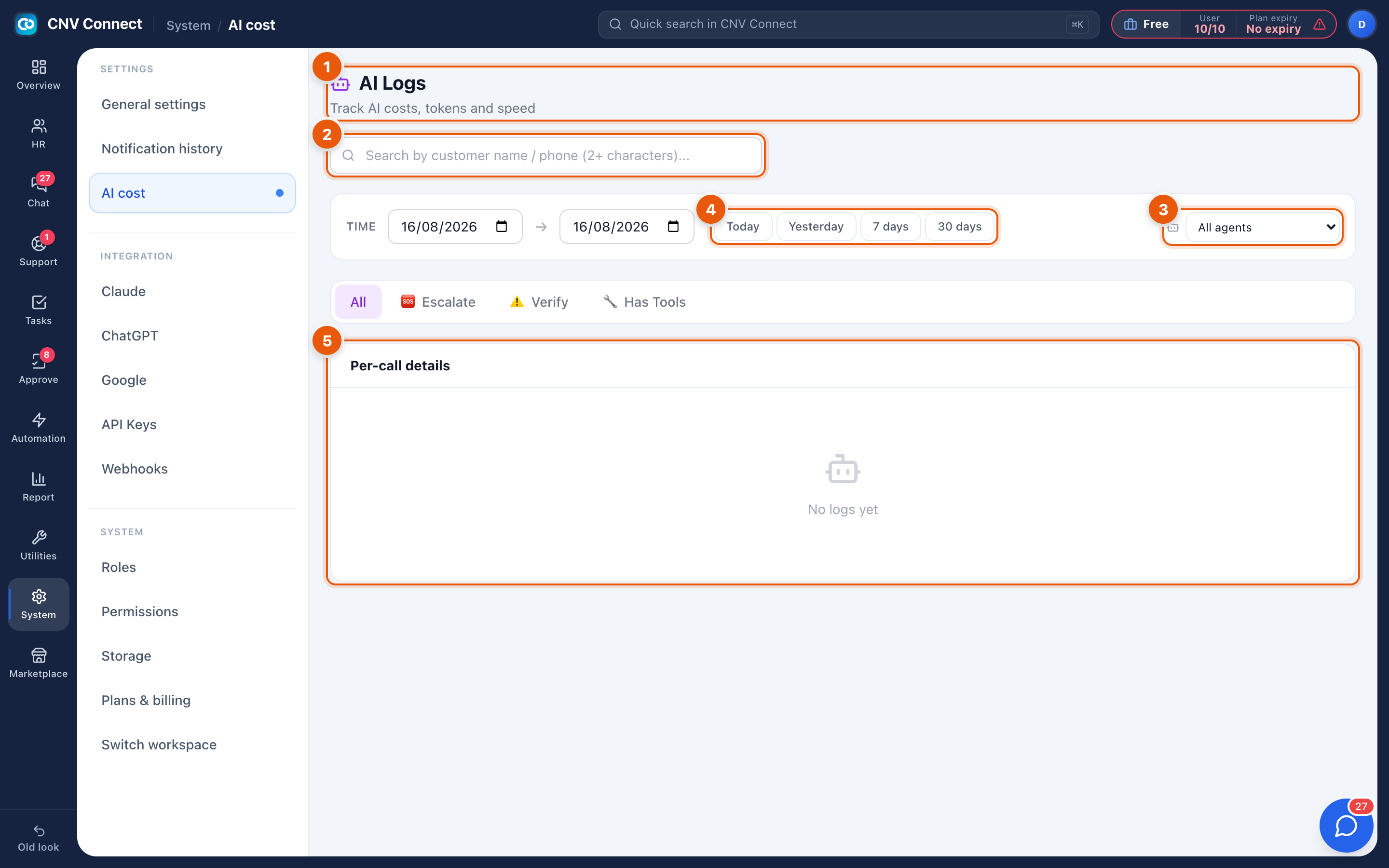
- Page title — AI logs: track AI costs, tokens and speed.
- Search — by customer name or phone number, from two characters up.
- Agent filter — All agents, or one assistant.
- Period — Today, Yesterday, 7 days, 30 days, All, or a from/to range.
- Per-call details — one row per call: when, which agent, which conversation, the tokens used and the cost.
How to…
See where the money goes
Set the period to 30 days and read the totals, then filter by agent. One assistant usually dominates, and that is where a prompt change pays for itself.
Audit a specific conversation
Search by the customer's name or number and open the call. The log records what was asked and what the model answered, which is what an escalation review needs.
Spot assistants that are not working
A high Escalate count means the assistant is handing over constantly — either its instructions are too narrow or it is pointed at the wrong kind of question.